

Simple setup
A browser-based host controller and a separate festive audience display—no specialist hardware or individual player logins.
Make your office Christmas party an interactive game-show night. Split colleagues into teams, let a host reveal answers, and put the festive red-and-gold Christmas board on a TV, projector or shared screen.

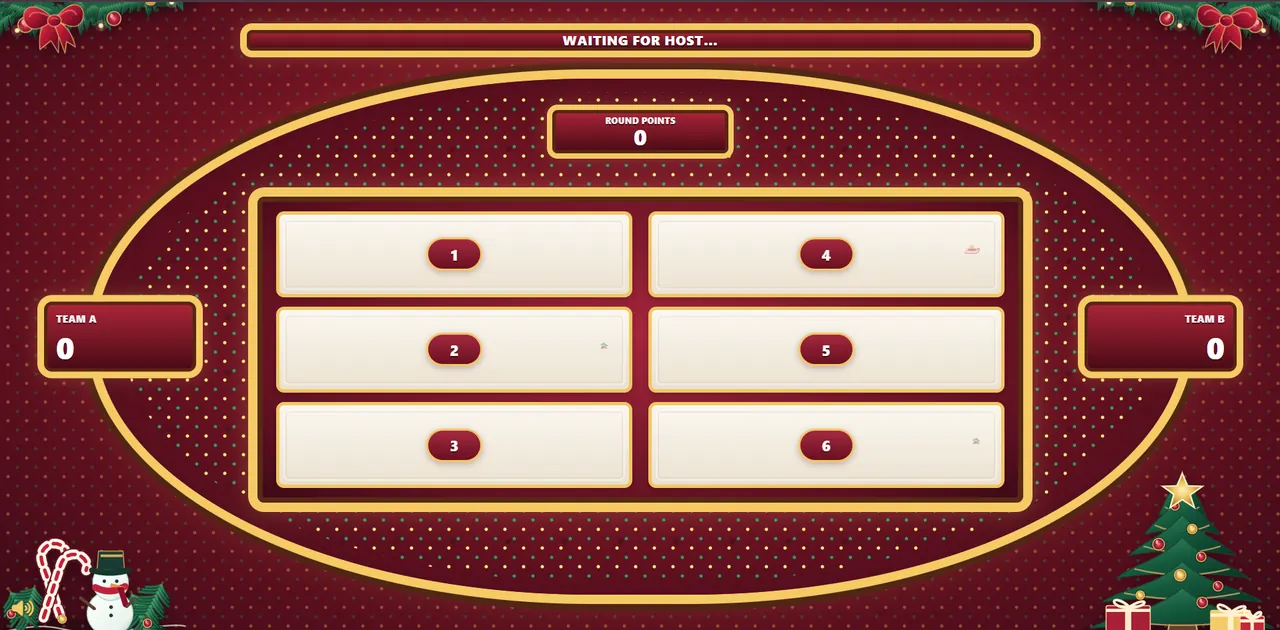
Use a format people understand quickly: one person hosts, teams discuss their guesses, and the whole room reacts as answers appear.
A browser-based host controller and a separate festive audience display—no specialist hardware or individual player logins.
Use lighthearted, workplace-appropriate holiday rounds or write your own questions to suit your colleagues.
Answer reveals, team scores, Christmas bells and festive animations make the game feel like a real event.
Choose the setup that fits your gathering. The host remains in control while everyone else watches the shared audience board.
Ideal for a meeting room, restaurant function room or company celebration.
Use your existing video meeting platform to share the audience display.
A practical run of show you can adapt for a team of any size. Larger groups can rotate who gives each answer.
Choose one host, explain the rules and divide the room into two teams.
Start with simple questions about gifts, decorations and traditions.
Move to work-safe questions about holiday parties, office snacks and end-of-year celebrations.
Finish with a quick final round, announce the winning team and invite a group photo.
Timings are suggested, not enforced by the software. You control the pace and scoring.
Use these as inspiration for your first rounds, or adapt the wording to your workplace culture.
Snacks · Gifts · Drinks · A festive sweater
Office tree · Desks · Meeting room · Reception
Music stops · Food runs out · Someone arrives late · Wrong gift
Cookies · Chocolates · Mince pies · Gingerbread
Time off · Team celebration · Bonus · Family time
Mug · Candle · Socks · Chocolate
Answers shown are editorial suggestions, not responses from a real survey. Choose your own answers and point values when creating a game.
You can try the Christmas display before signing up, then create a project when you are ready to host.
See the real controller and Christmas audience screen react to answer reveals.
Create a Family Feud project and add festive rounds, answers and your chosen point values.
Run the controller privately and show the audience display on a second screen or projector.
The game is played in teams with one host. There is no fixed audience cap for people watching a shared screen; adapt team sizes and rotate who answers. The game does not provide individual live answer submission.
Yes. A host can share the separate audience display through an external video meeting service while keeping the controller private. Voice or meeting chat can be used to gather team guesses.
Yes. You can add custom questions and answers and assign point values. Avoid sensitive personal questions or topics that could embarrass coworkers.
No individual accounts or app downloads are needed for participants in the shared-screen format. The host needs an account and appropriate game access.
No. Our sample answers are ideas for your event, not verified survey results. Familio Games is an independent game-show platform and is not affiliated with the Family Feud television franchise.
Yes. Check the current short-term access plan on our pricing page; you do not need to commit to an annual plan just for one party.
Try the Christmas demo, explore the question ideas and turn your next team celebration into a hosted game.
We use necessary technologies to operate Familio Games. With your permission, we may also use analytics to understand how our website is used and marketing technologies where applicable. You can accept, reject, or customise your preferences. Privacy Policy