Lesson Warm-Ups
Start a lesson with a quick team round to activate prior knowledge and get students involved from the beginning.
CLASSROOM · REVISION · SCHOOL EVENTS
Turn revision, warm-ups and classroom activities into a live Family Feud-style game that students can follow together.
Choose ready-to-play questions or create your own educational rounds, split students into teams, reveal answers from the teacher controller and show the game board on a projector, TV or classroom display.
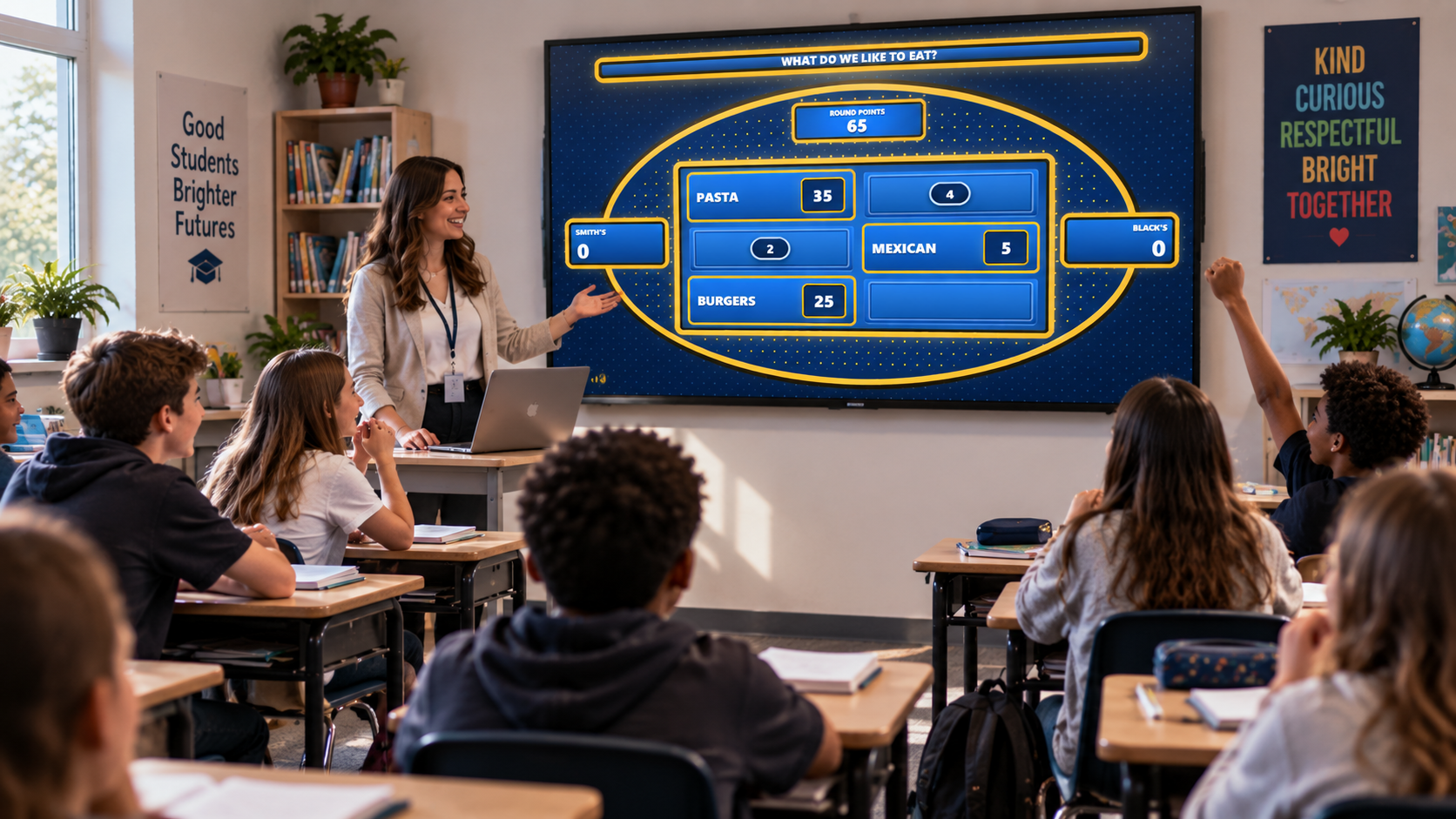
FLEXIBLE FOR DIFFERENT LESSONS
The same game format can work as a five-minute warm-up, a larger revision activity or a fun end-of-term game. The questions and difficulty can change while the basic team-based structure stays familiar.
Start a lesson with a quick team round to activate prior knowledge and get students involved from the beginning.
Turn review material into a competitive game before a quiz, test or end-of-unit assessment.
Use lighter general or subject-based rounds for a fun classroom activity at the end of term.
Run the game for clubs, assemblies, activity days or larger student groups using a projector or TV.
WHY IT WORKS
Students can take part as a team instead of every question relying on one person. The rules are simple, progress is visible and the content can be adjusted to the subject being taught.
Students can discuss possible answers together instead of every question depending on one individual student.
The basic idea is easy to explain: guess an answer on the board, reveal it, score points and avoid strikes.
Build rounds around mathematics, English, science, history, geography, sports or a specific lesson topic.
The student display keeps answers, strikes and scores visible so the whole class can follow what is happening.
FROM LESSON PLAN TO GAME
Prepare the topic and questions first, then keep the live game simple so students can focus on the competition rather than the setup.
Decide whether the game is for revision, one lesson, general knowledge or a fun classroom activity.
Use ready-to-play questions or create your own questions, answers and point values.
Divide students into two teams and explain how guesses, strikes and scoring will work.
Keep answers and controls private on your own device while students see only the game board.
Put the audience view on a projector, television or second screen at the front of the room.
Reveal correct answers, apply strikes and award points as the teams move through the game.
EDUCATIONAL CONTENT
Familio Games supports educational question organization, making it possible to prepare subject-based games rather than relying only on generic party questions.
Teachers can use broad subject rounds or create questions around the exact material being covered in class. That makes the format useful for quick review, lesson consolidation or larger revision sessions.
TEACH YOUR OWN MATERIAL
Classroom rounds can be purely educational or mixed with lighter questions to keep the pace varied. The game builder lets teachers create questions around their own curriculum, lesson plan or revision topic.
You choose the question, possible answers and point values, so the game can be adapted to the exact class rather than forcing every lesson into a generic quiz.
CLASSROOM QUESTION IDEAS
TEACHER + CLASS DISPLAY
The teacher keeps the controller privately on a laptop or computer, while students follow the game on the classroom projector, television or second display.
Reveal answers, register strikes, award points and move through the questions without showing students the behind-the-scenes controls.
Start Round / Open Display
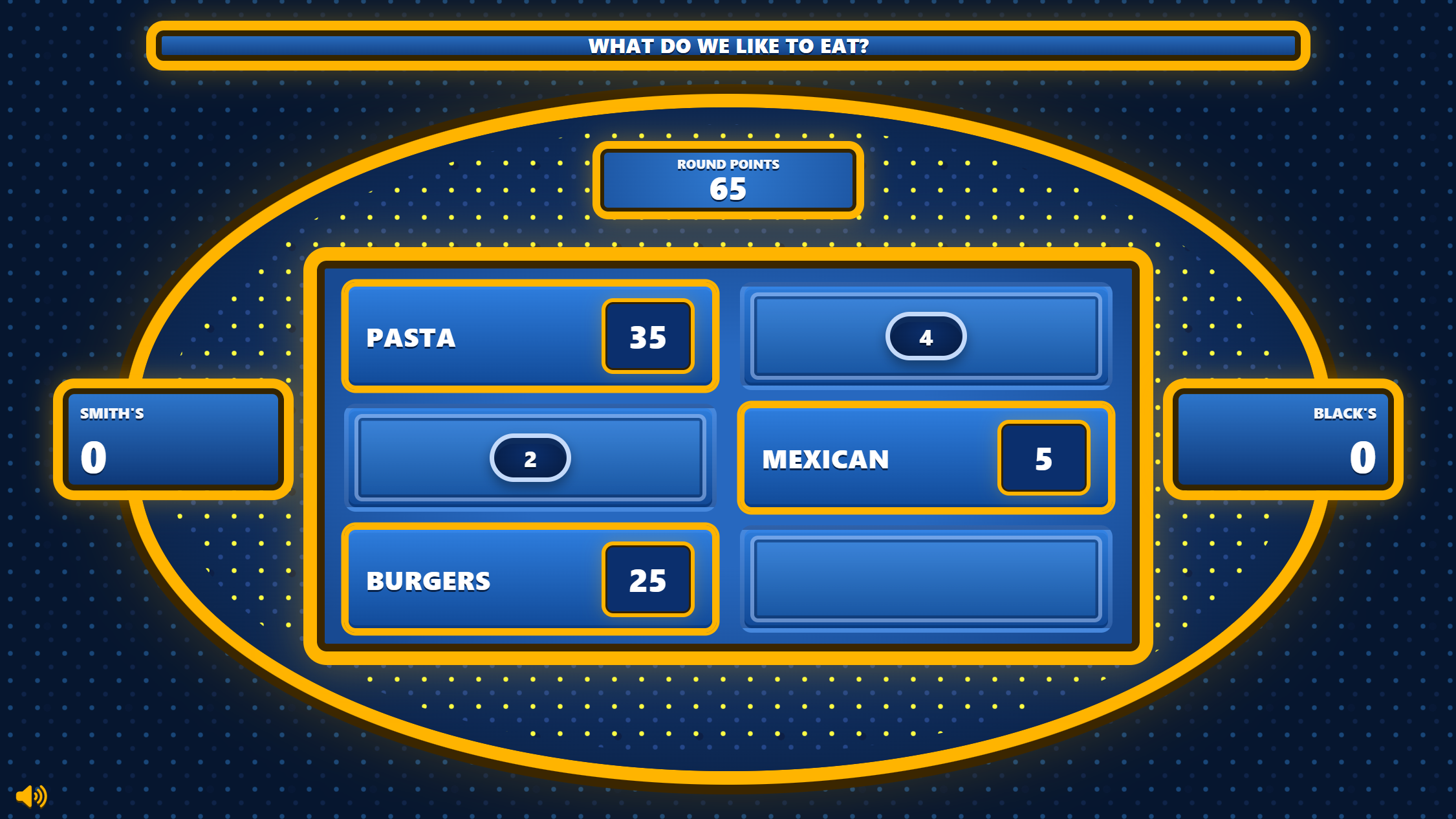
BUILT FOR THE TEACHER
Use ready-made educational content or create rounds around your lesson.
Reveal correct answers privately from the teacher controller.
Track incorrect guesses and team points without a separate score sheet.
Keep the class focused on the live board while controls stay private.
QUICK ANSWERS
Practical questions about using a Family Feud-style game for lessons, revision and school activities.
Yes. Teachers can create custom questions, answers and point values for their own lessons, revision topics or classroom activities.
Yes. The audience display can be shown on a projector, TV or second screen while the teacher keeps the controller private.
No. Ready-to-play questions are available, and teachers can add custom questions whenever they want content tailored to a class or particular topic.
Yes. The format works well for revision because lesson material can be turned into team-based rounds and answers can be revealed as students respond.
READY FOR THE NEXT LESSON?
Build a Family Feud-style classroom game, choose ready-to-play questions or add your own educational content, then host it with scoring, strikes and a separate student display.
Want ideas first? Browse 100 Family Feud questions and answers.We use necessary technologies to operate Familio Games. With your permission, we may also use analytics to understand how our website is used and marketing technologies where applicable. You can accept, reject, or customise your preferences. Privacy Policy