01
Split Into Two Teams
Divide everyone into two competing sides and decide the order in which players will answer.
1
THE COMPLETE STEP-BY-STEP GUIDE
Set up two teams, ask survey-style questions, reveal the answers one by one, track strikes and award the points — without building your own PowerPoint game or keeping score by hand.
This guide explains both the familiar Family Feud-style rules and the practical steps for creating and hosting your own game online with Familio Games, from the first question to the final score.
THE SHORT VERSION
Family Feud is built around a simple idea: two teams try to identify the most popular answers to survey-style questions. Correct guesses uncover the board, while incorrect guesses create strikes and put control of the round at risk.
Divide everyone into two competing sides and decide the order in which players will answer.
The host reads a survey-style question with several hidden answers ranked by point value.
Players take turns guessing. Correct answers are revealed and add their value to the points available in the round.
Incorrect guesses become strikes. In the familiar format, three strikes can give the opposing team a chance to steal.
Once the round is decided, award the accumulated points and continue until your planned questions are complete.
BEFORE YOU START
You do not need a television studio. One person hosts the game, two teams compete and everyone follows the same player-facing board.
Someone to ask the questions, reveal answers, register strikes, award points and keep the game moving.
Friends, family members, coworkers, students or event guests divided into competing sides.
Use ready-to-play rounds or create your own questions specifically for the people attending.
Put the game board on a television, projector or second monitor so the entire group can follow the round.
FROM SETUP TO SHOWTIME
Familio keeps your questions, game setup, scoring and live controls together in one browser-based project, so preparing the game and running it live become part of the same workflow.
Start by creating a Family Feud-style project in Familio Games. The project is the workspace where the questions and setup for that particular game are kept.
You can prepare the game before your event, return later to make changes and reuse the same project while your access remains active.
Choose rounds from the ready-to-play question library, create your own survey-style questions and answers, or combine both approaches in the same game.
For custom rounds, you choose exactly which answers appear and how many points each one is worth. That makes it easy to build games around a workplace, class, family or particular event.
Browse 100 question examples →Enter the team names and divide your players into two competing sides. The same basic structure works for a small family game night, classroom activity or larger hosted event.
Decide the playing order in advance so everyone knows when their turn is coming and the game does not slow down between guesses.
The controller is the host's private side of the game. It gives you the controls for answer reveals, strikes, scoring and moving between questions.
Because the controller remains on the host device, players do not see answers or behind-the-scenes controls before you decide to reveal them.
Open the separate audience view and put it on the television, projector or second monitor facing your players.
The audience sees the question, revealed answers, strikes and team scores while your private hosting controls stay on the other device.
Read the survey-style question aloud. If you want the familiar television-style opening, begin with one representative from each team competing in a face-off.
Familio manages the game board itself. For the face-off you can use a physical buzzer, raised hands or another simple rule that suits your group.
When a player gives an answer that appears on the board, reveal it from the controller. The audience display updates so everyone immediately sees the result.
Incorrect guesses can be registered as strikes. If you are using the familiar three-strike format, the opposing team can then receive an opportunity to steal the round.
Once the round has been decided, award its points to the appropriate team and move on to the next question.
Repeat the process for the rounds you prepared. Familio keeps the team scores visible as the game progresses, and the team with the highest total at the end wins.
THE GAMEPLAY
You can simplify the rules for a casual party or classroom, but these familiar mechanics give a Family Feud-style round its recognisable pace and tension.
Start with one representative from each team. The strongest available answer can determine which side begins the round.
Players take turns trying to uncover the remaining hidden answers while the round value increases.
Incorrect guesses create strikes. Three misses commonly give the opposing team a chance to take the round.
The other team gets one important opportunity to identify a remaining answer and potentially take the points.
Award the accumulated points to the winning team and move directly into the next board.
TWO-SCREEN HOSTING
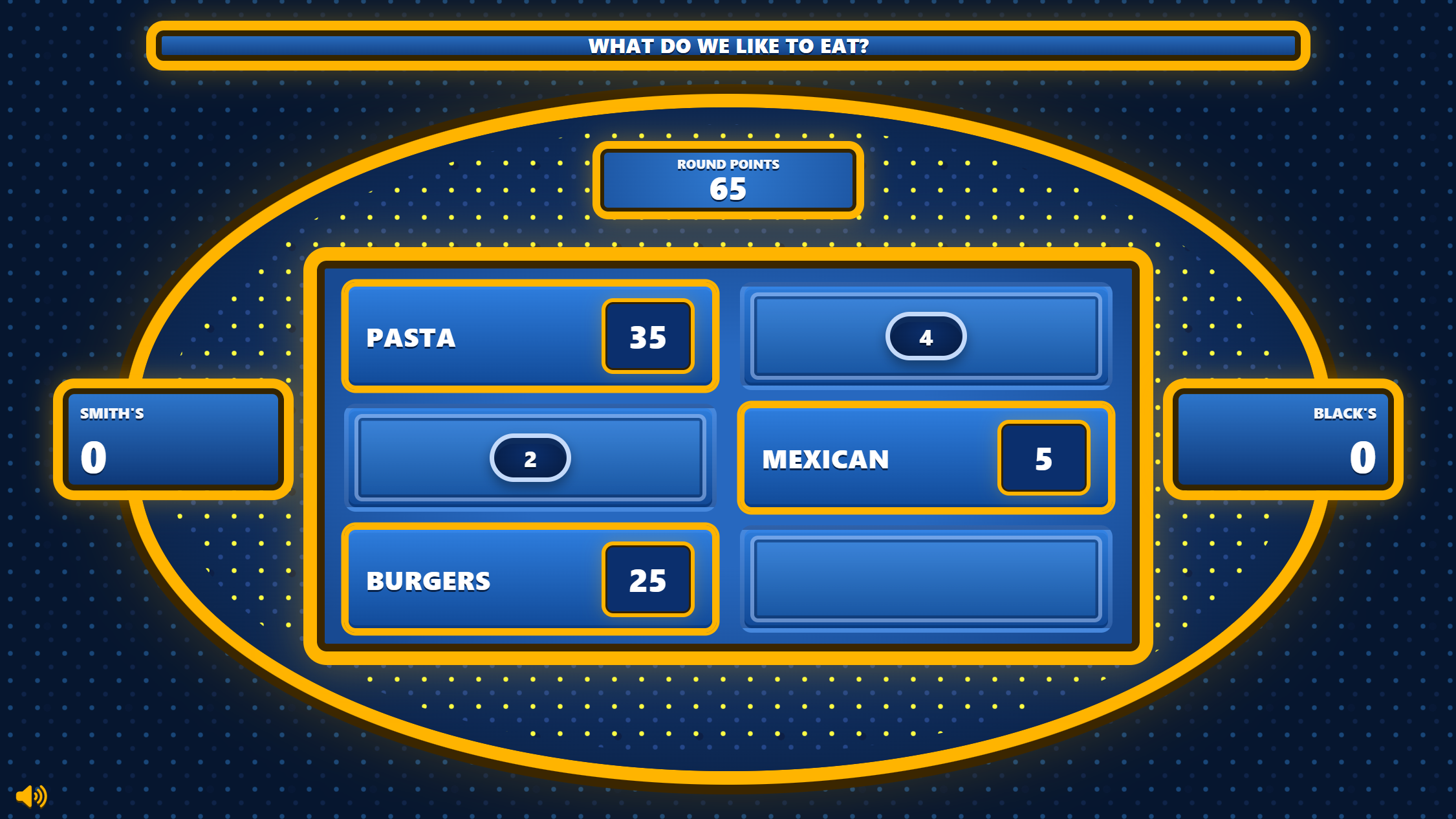
Familio Games separates the host controls from the screen your players see. Run the game privately while the audience gets a clean, full-screen Family Feud-style board.
Reveal answers, add strikes, award points and control the pace from the private controller while the audience display shows only the question, answers and scores.
Start Round / Open Display
MAKE IT FEEL LIKE A SHOW
Familio can handle the board and scoring, but the host provides the pace, personality and suspense that turn a quiz into an event.
Tell everyone how the face-off, playing order, strikes and steal will work before the first question appears.
Avoid turning every guess into a long team discussion. A little time pressure helps keep the room engaged.
Pause before important answers, react to surprising guesses and let the audience anticipate what appears on the board.
Decide how closely a guess must match the listed answer and apply the same standard throughout the whole game.
A classroom, company event and teenage game night should use questions that fit the people who are actually playing.
You do not need dozens of rounds. A shorter game that ends with people wanting one more question is usually stronger.
DIFFERENT GROUP. SAME FORMAT.
The rules stay familiar, but changing the questions and the people in the room can turn the same format into three completely different experiences.
Turn coworkers into competing teams for office socials, company celebrations and professionally hosted events.
Explore Team Building →Turn lessons, revision sessions and school activities into fast-paced competitive game-show rounds.
Explore Classroom Games →Put the game on the TV, split everyone into teams and turn an ordinary evening together into your own game show.
Find Questions →QUICK ANSWERS
The practical questions that usually come up before hosting your first Family Feud-style game.
No. Familio Games runs in a browser and includes the game board, private host controls, answer reveals, strikes, scoring and a separate audience display.
The standard format uses two competing teams. The number of people on each team can be adapted to your particular group.
A familiar Family Feud-style round begins with a face-off between one representative from each team. At an informal event you can use a physical buzzer, raised hands or another agreed rule.
In the familiar format, the opposing team receives a chance to steal after three incorrect guesses. For a casual game, you can adapt this rule as long as everyone understands it before the round starts.
Yes. Familio lets you create custom questions, answers and point values and combine them with rounds from the ready-to-play question library.
Yes. Put the separate audience display on the television, projector or second screen and keep the private host controller on your own device.
Yes. Your questions and setup are stored inside the project, allowing you to prepare the game in advance and return to it when you are ready to play.
KEEP BUILDING YOUR GAME
Ready-to-use examples across 20 categories.
02 · FUNNYLighter rounds for parties and game nights.
03 · ADULTSFunny and slightly cheekier grown-up rounds.
04 · KIDSFamily-friendly rounds for younger players.
05 · WORKUse the format for coworkers and company events.
06 · SCHOOLTurn lessons and revision into game-show rounds.
READY WHEN YOU ARE
Create a project, choose ready-made questions or write your own, then run the game from a private host controller while your players watch the live board.
All current Familio plans include all available games and the ready-to-play question library.We use necessary technologies to operate Familio Games. With your permission, we may also use analytics to understand how our website is used and marketing technologies where applicable. You can accept, reject, or customise your preferences. Privacy Policy