
How to Host a Family Feud Game Online: Complete Virtual Game Night Guide
Want to turn your next video call, family night or team event into a game show?
Hosting Family Feud online is surprisingly simple. You need two teams, a host, a set of survey-style questions and a game board everyone can see. The host asks the questions, players try to uncover the most popular answers, and wrong guesses bring the teams closer to the dreaded third strike.
The biggest difference between an ordinary quiz and a great virtual Family Feud night is not complicated technology. It is how you set up the game, choose the questions and keep everyone involved.
This guide shows you how to do exactly that.

What Do You Need to Play Family Feud Online?
You do not need a studio, expensive equipment or an elaborate home-made game board.
For most groups, you need:
- one host;
- two teams;
- Family Feud-style questions and answers;
- a laptop or computer for the host;
- a screen that players can see;
- and, for a fully remote game, a video-call platform such as Zoom, Microsoft Teams or Google Meet.
If everyone is in the same room, the audience board can be displayed on a TV or projector.
If everyone is joining remotely, the host can share the audience display through the video call.
The important part is keeping the host controls separate from what players see. Nobody wants the answers accidentally appearing on screen before the round begins.
How Does Online Family Feud Work?
The basic idea is simple.
Two teams compete to identify answers hidden on the board. Instead of answering factual trivia questions, players are trying to predict what other people would be most likely to say.
A question might be:
“Name something people usually do before going to bed.”
The board could contain answers such as:
- Brush their teeth
- Check their phone
- Take a shower
- Watch TV
- Read
- Set an alarm
The more common an answer is supposed to be, the higher its point value.
That difference is what makes Family Feud so accessible. You do not have to be the person who knows the most obscure facts. You have to think like everyone else.
Step 1: Choose How You Will Host the Game
There are several ways to create an online Family Feud game.
You can build one manually using presentation software, prepare questions on paper and keep score separately, or use a browser-based Family Feud-style game platform.
For a quick one-off game, a homemade setup can work.
For a larger party, classroom, company event or a game with several rounds, having the board, questions, strikes and scoring in one place makes hosting considerably easier.
With Familio Games, for example, the host gets a private controller while players see a separate audience display. Questions can be selected from ready-to-play content or created from scratch.
That means the host can focus on running the game instead of constantly switching between slides, answer sheets and a scoreboard.
Want to see how the game works? Explore the Family Feud-style game on Familio Games.
Step 2: Prepare Your Questions
Questions can make or break the game.
Good Family Feud questions should have several plausible answers and should make players think about what most people would say.
Questions such as:
“Name something people forget when leaving for vacation.”
work much better than:
“What is the capital of France?”
The second question has one objectively correct answer. That is trivia.
Family Feud becomes interesting when several answers could reasonably appear on the board.
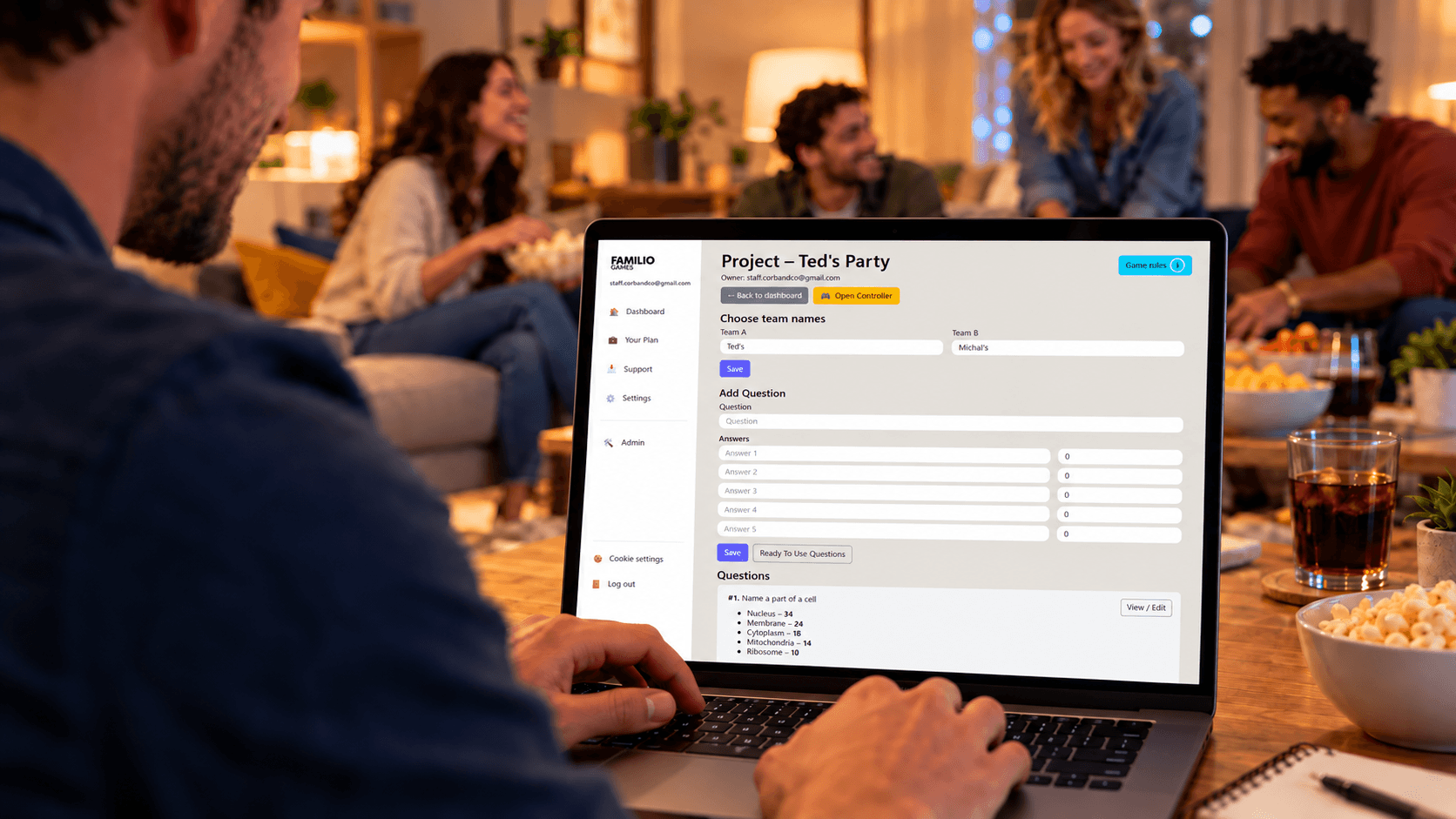
Ready-Made Questions vs Custom Questions
You have three good options.
Ready-made questions are fastest. Choose your rounds and start playing.
Custom questions make the game more personal. For a workplace game, you could ask:
“Name something someone in our office always forgets.”
For a family game:
“Name something Grandma always says.”
For a classroom:
“Name something you would find in a science laboratory.”
The third option is often the best: combine both.
Use ready-made questions for most of the game and add a few questions specifically about your family, company, class or group.
Those personalized rounds are often the ones people remember.
Step 3: Divide Everyone Into Two Teams
Family Feud works best with two competing teams.
They do not have to be actual families.
You can have:
Team Parents vs Team Kids
Marketing vs Sales
Teachers vs Students
Table One vs Table Two
or simply let everyone invent ridiculous team names.
For smaller games, three to five people per team works nicely. For a larger event, simply create bigger teams and rotate who answers.
The goal is participation, not recreating a television studio perfectly.
Step 4: Set Up the Host and Audience Screens
This is one of the most important parts of playing online.
The host needs to see the controls and answers.
The players should not.
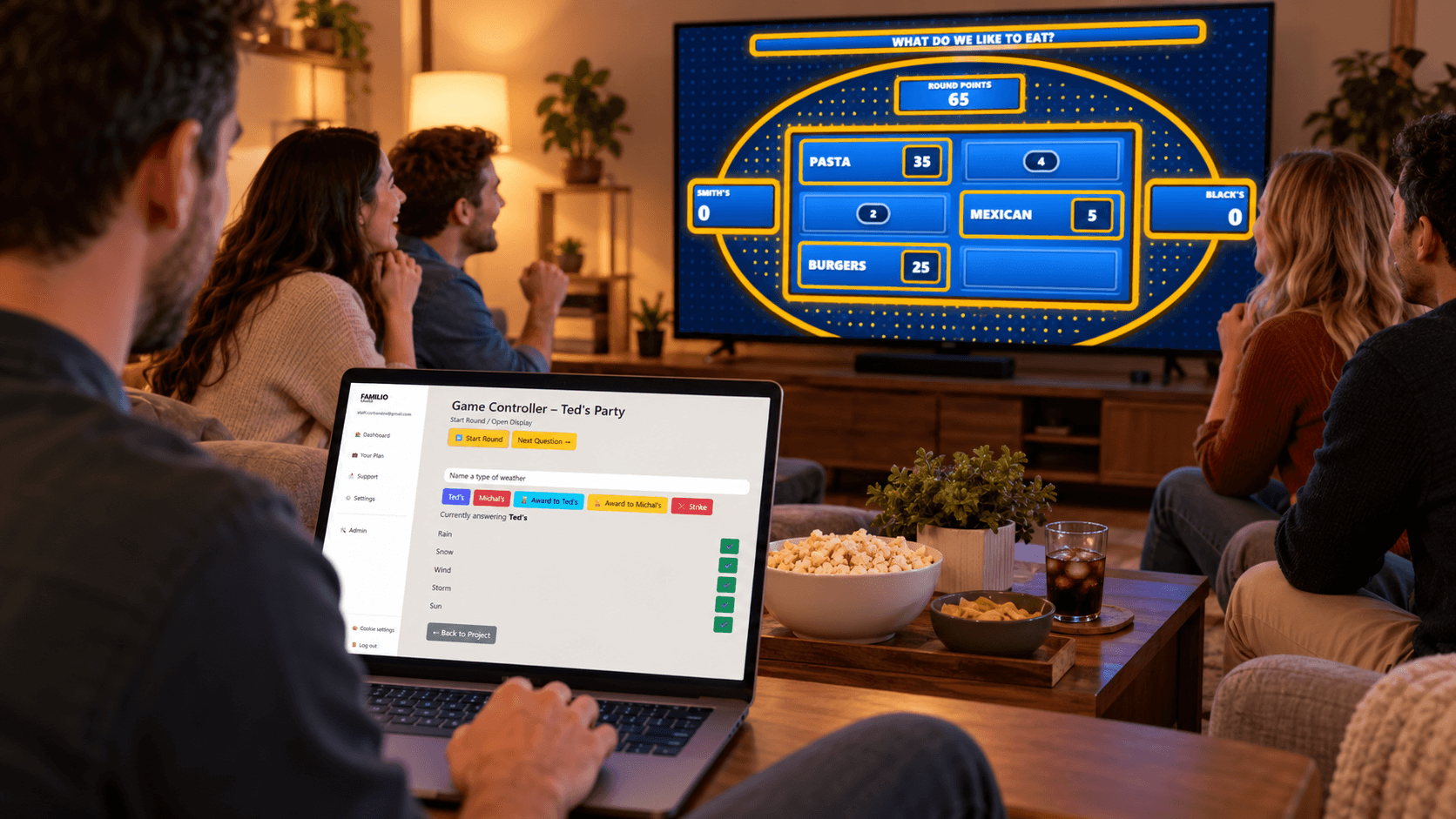
When playing together in person, you can keep the host controller on a laptop and put the audience display on a television or projector.
For a virtual game:
- open the host controls privately;
- open the audience display separately;
- join your Zoom, Teams or Google Meet call;
- share only the audience display with the players.
Before the first round, check your screen share.
Accidentally sharing the answer key is a very efficient way to create the shortest Family Feud night in history.
Step 5: Explain the Rules Before You Start
Do this before showing the first question.
A simple explanation is enough:
“We have two teams. I will ask a question with several hidden answers. Your goal is to guess the most popular answers on the board. Correct guesses reveal answers. Wrong guesses earn strikes. After three strikes, the other team may get a chance to steal.”
You can use traditional Family Feud-style rules or simplify them for your group.
For a children's party or classroom, simpler rules may keep things moving.
For competitive adults or a company event, face-offs, steals and escalating points can make the game considerably more dramatic.
The important thing is that everyone understands the rules before points are at stake.
Step 6: Start With a Face-Off
A classic way to begin a round is with one representative from each team.
The host reads the question.
Both players try to answer first.
If one player gives the highest available answer, their team can take control. If not, the other player's answer can determine which team starts.
Online, you do not necessarily need a physical buzzer. You can use:
- raised hands;
- a reaction button;
- a simple verbal buzz;
- or another agreed method.
Do not spend ten minutes engineering the perfect buzzer system.
The questions are the entertainment.
Step 7: Play the Board
Now the team in control tries to uncover the remaining answers.
Players take turns guessing.
When a correct answer is given, the host reveals it.
When a guess does not appear on the board, the host adds a strike.
And this is where hosting matters.
Do not simply click buttons silently.
Build some suspense.
Repeat the player's answer.
Let the other team react.
Then reveal the board.
A tiny pause before revealing a questionable answer can make an ordinary round feel surprisingly dramatic.
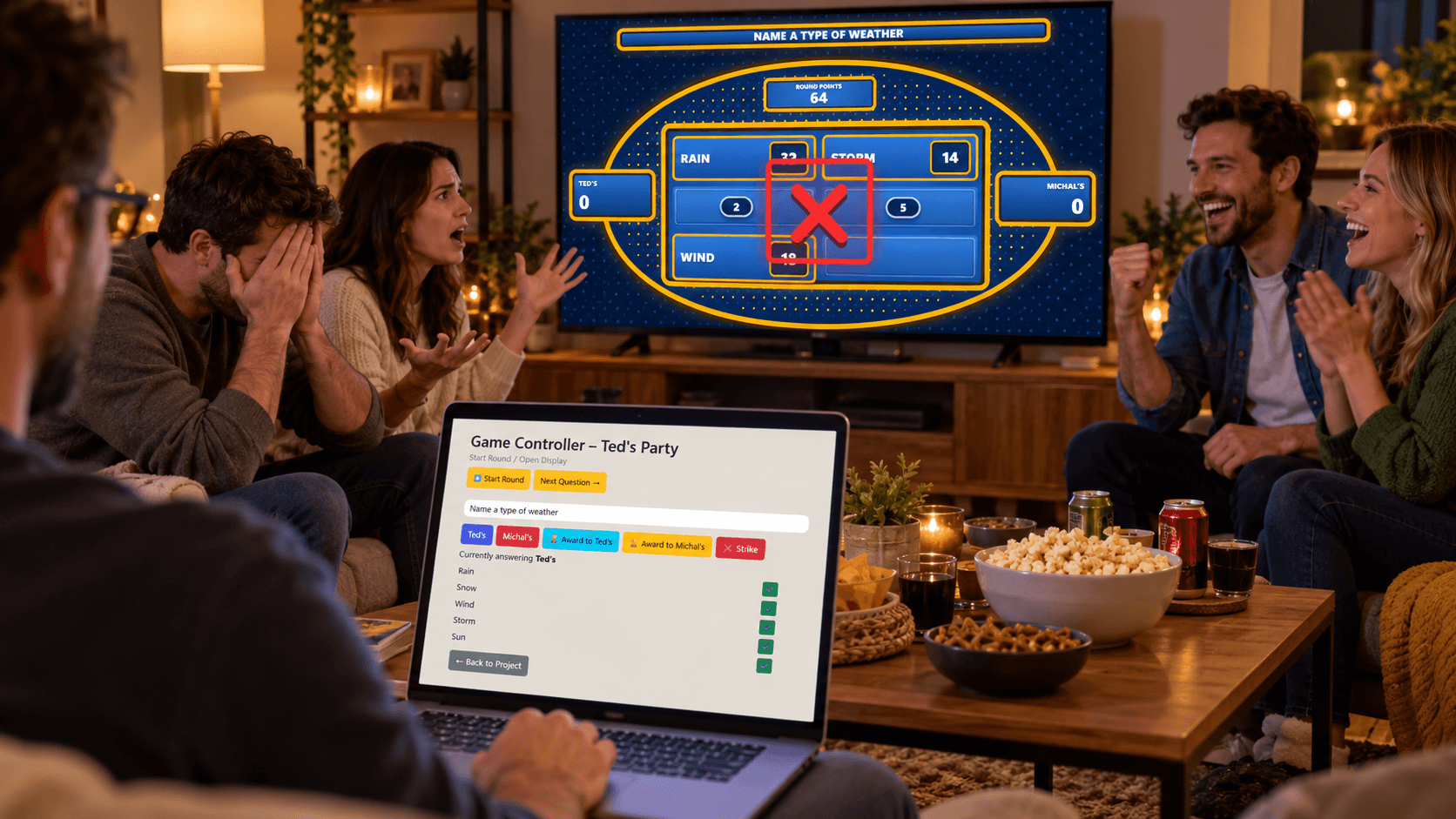
Step 8: Use the Three-Strike Rule
Three incorrect guesses commonly end the team's attempt to clear the board.
But the round does not necessarily end there.
The opposing team can get an opportunity to steal.
They discuss the remaining possibilities and submit one answer.
If it appears on the board, they can take the points from the round. If it does not, the original team keeps them.
That single guess can completely change a game, which is why the steal is one of the easiest ways to create tension.
Step 9: Keep Score — Without Killing the Pace
Nobody wants to stop after every answer while someone searches for a calculator.
If you are hosting manually, nominate someone to track points.
If you are using Familio Games, the host can manage scoring directly from the controller while the current scores remain visible on the audience display.
For casual games, you can keep every round worth the normal number of points.
For a more dramatic ending, later rounds can be worth more.
This gives a team that falls behind early a chance to come back.
How Long Should an Online Family Feud Game Last?
Longer is not automatically better.
For most casual groups, 30–60 minutes is plenty.
A simple game might contain:
- 5 minutes for explaining teams and rules;
- 20–40 minutes of rounds;
- 5 minutes for a final round and celebrating the winners.
If everyone is laughing and asking for another question, you have probably found the right length.
If you are on round seventeen and people are checking their phones, you probably passed it.
How to Play Family Feud Online With Friends and Family
For friends and families, personalization is your biggest advantage.
Mix general questions with questions only your group understands.
Imagine revealing:
“Name something Dad always complains about on vacation.”
or:
“Name something someone in this family is always late for.”
Suddenly the game is not something you could have played with any group.
It is your game.
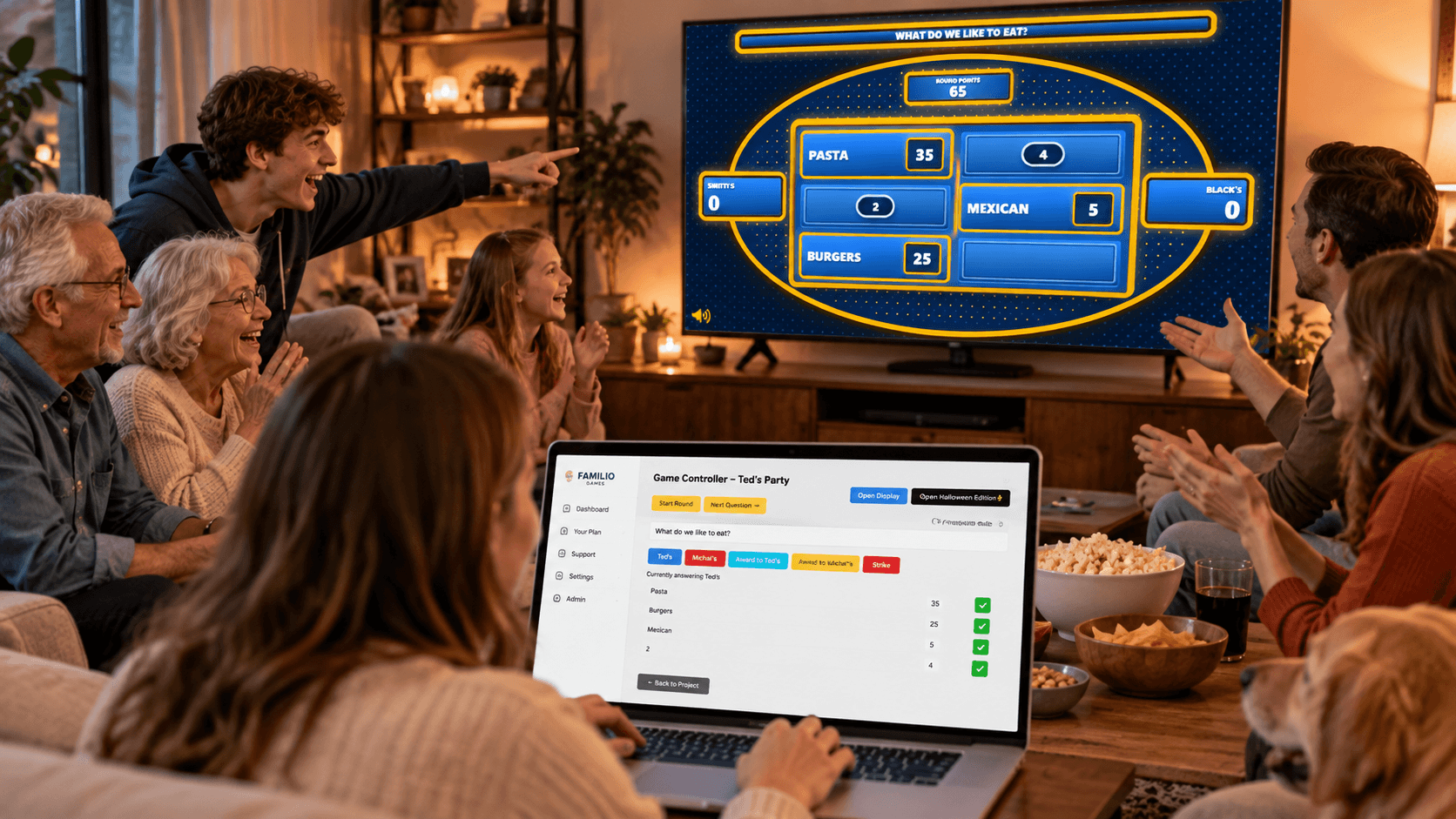
For family gatherings, birthdays and casual game nights, put the audience board on the largest available screen and let one confident person host.
Snacks help too. This is not technically a rule, but we strongly recommend it.
How to Play Virtual Family Feud on Zoom, Teams or Google Meet
The setup is almost identical regardless of which video-call platform you use.
The host keeps the game controls private and shares the audience-facing game board.
Players remain in the call and give their guesses verbally.
For a smoother game:
- ask players to keep cameras on if possible;
- mute only when necessary;
- choose team captains before starting;
- establish how players buzz in;
- keep team discussions short;
- and make sure you are sharing the correct window.
For larger groups, each team can discuss answers privately before returning to the main call.
How to Use Family Feud for Remote Team Building
Family Feud works particularly well for teams because players do not need specialist knowledge.
A new employee and a senior manager can both answer:
“Name something people do five minutes before a meeting.”
Company-specific questions can make the experience even better.
Try prompts such as:
“Name something everyone in our office consumes too much of.”
“Name a phrase you hear in almost every meeting.”
“Name something that always disappears from the office kitchen.”
Keep company-specific rounds lighthearted. The objective is to create inside jokes, not conduct an employee performance review disguised as a game show.
How Can Teachers Play Family Feud Online?
The same format can turn classroom revision into a team competition.
Instead of survey questions, teachers can adapt rounds around the subject they are teaching.
For example:
“Name a European capital city.”
“Name an animal that is a mammal.”
“Name a verb commonly used when talking about travel.”
Display the board on the classroom projector, divide students into teams and let them compete.
For online classes, share the audience board through the video lesson.
The game mechanics provide the motivation while the questions provide the learning.
7 Hosting Tips That Make the Game Better
1. Keep the Rules Simple
Do not spend fifteen minutes explaining every possible scenario.
Start playing and explain unusual situations when they happen.
2. Choose Questions for Your Audience
A question that works brilliantly at a company party may fail completely with ten-year-olds.
3. Mix Easy and Difficult Rounds
Players should occasionally feel clever.
If every board is impossible, frustration replaces competition.
4. Add Personal Questions
Even two or three custom rounds can transform the entire game.
5. Keep Answers Moving
Long debates between every guess destroy momentum.
6. React to the Players
The host is part of the entertainment.
You do not need to become a television presenter, but enthusiasm makes an enormous difference.
7. Finish Before People Get Bored
Leave them wanting another round.
That is much better than squeezing every prepared question into the game.
Online Family Feud vs PowerPoint: Which Is Easier?
You can absolutely create a Family Feud-style game using PowerPoint or similar presentation software.
For occasional games, that may be enough.
The downside is preparation.
You have to build the boards, hide and reveal answers, manage strikes, calculate scores and make sure the audience cannot see information intended only for the host.
A dedicated browser-based game removes much of that manual work.
With Familio Games, questions, answers, point values, strikes, scores, host controls and the audience display stay within the same game system.
That is particularly useful when you want to run more than a couple of rounds or reuse the format for future events.
Ready-Made or Custom Family Feud Questions?
Why choose?
Ready-made questions let you build a game quickly.
Custom questions make it personal.
A strong game can use both.
Start with familiar general rounds so everyone understands how the game works. Then introduce a personalized question halfway through.
If you need inspiration, browse 100 Family Feud questions and answers before building your game.

Can You Host Family Feud Online Without Downloading Anything?
Yes.
Browser-based platforms such as Familio Games let the host prepare and run a Family Feud-style game without installing dedicated game-show software.
That makes the setup especially convenient when you are using a work computer, classroom device or somebody else's laptop.
Open the game, prepare your rounds, connect your audience display and start hosting.
Ready to Host Your Own Game?
A great Family Feud night does not need complicated equipment.
You need good questions, two teams and someone willing to host.
Familio Games brings the rest together: ready-to-play questions, custom rounds, point values, strikes, scoring, private host controls and a separate audience display.
You can prepare a game for friends, family, students or coworkers and run it directly from your browser.
Create your Family Feud-style game with Familio Games and turn your next gathering into a game show.
Frequently Asked Questions
Can you play Family Feud online with friends?
Yes. Divide your friends into two teams, use an online Family Feud-style board and let a host manage the questions, answers, strikes and scoring. For remote groups, share the audience board through your video call.
Can you play Family Feud on Zoom?
Yes. The host can keep the game controls private and share the audience display through Zoom. The same approach works with Microsoft Teams, Google Meet and similar video-call platforms.
Do you need a Family Feud PowerPoint template?
No. A PowerPoint template is one way to build a game manually, but browser-based game platforms can provide the board, scoring, strikes and answer reveals without creating slides yourself.
How many people do you need for Family Feud?
You need enough people to create two competing sides. Small groups can play with only a few people on each team, while larger groups can divide into bigger teams and rotate players.
Can I create my own Family Feud questions?
Yes. Custom questions are especially useful for birthdays, families, classrooms and company events because you can build rounds around the people playing.
What equipment do I need for virtual Family Feud?
For a fully remote game, the host generally needs a computer, an online game board and a video-call platform. Players need to be able to see the shared audience board and communicate their guesses.
Can Family Feud be used for school or work?
Yes. Teachers can adapt questions for classroom revision, while companies can use general or workplace-themed questions for team-building events.
Where can I find Family Feud questions?
Familio Games includes ready-to-play questions, and you can also browse the free collection of 100 Family Feud questions and answers for inspiration before creating your game.